 OttoDesk
Otto, in every tab.
OttoDesk puts Otto, Trezly's assistant for real estate agents, in your browser's side panel. Tell him what you need in plain words and he does the steps on the page you have open, while you watch.
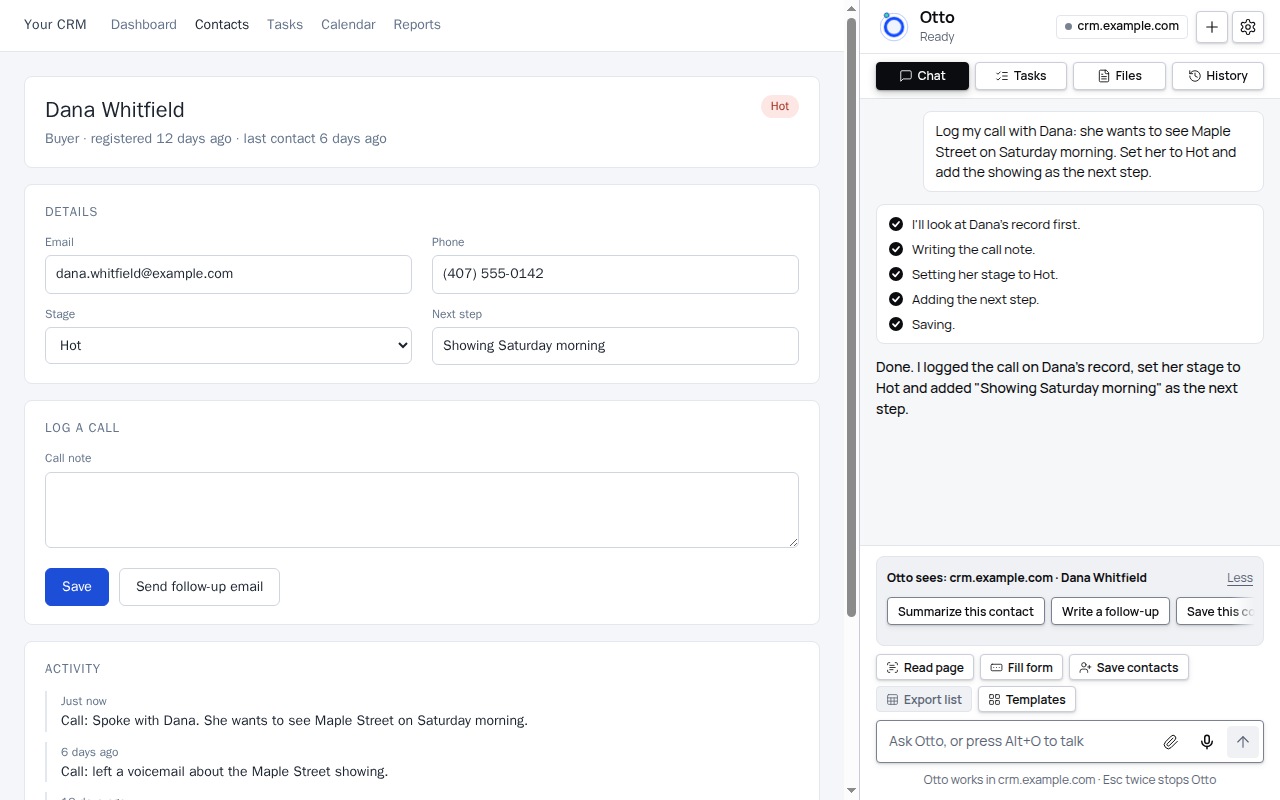
He does the work on the page
Logs calls and notes, fills in forms, updates stages and tags, sorts and counts a list, and drafts a reply for you to review.
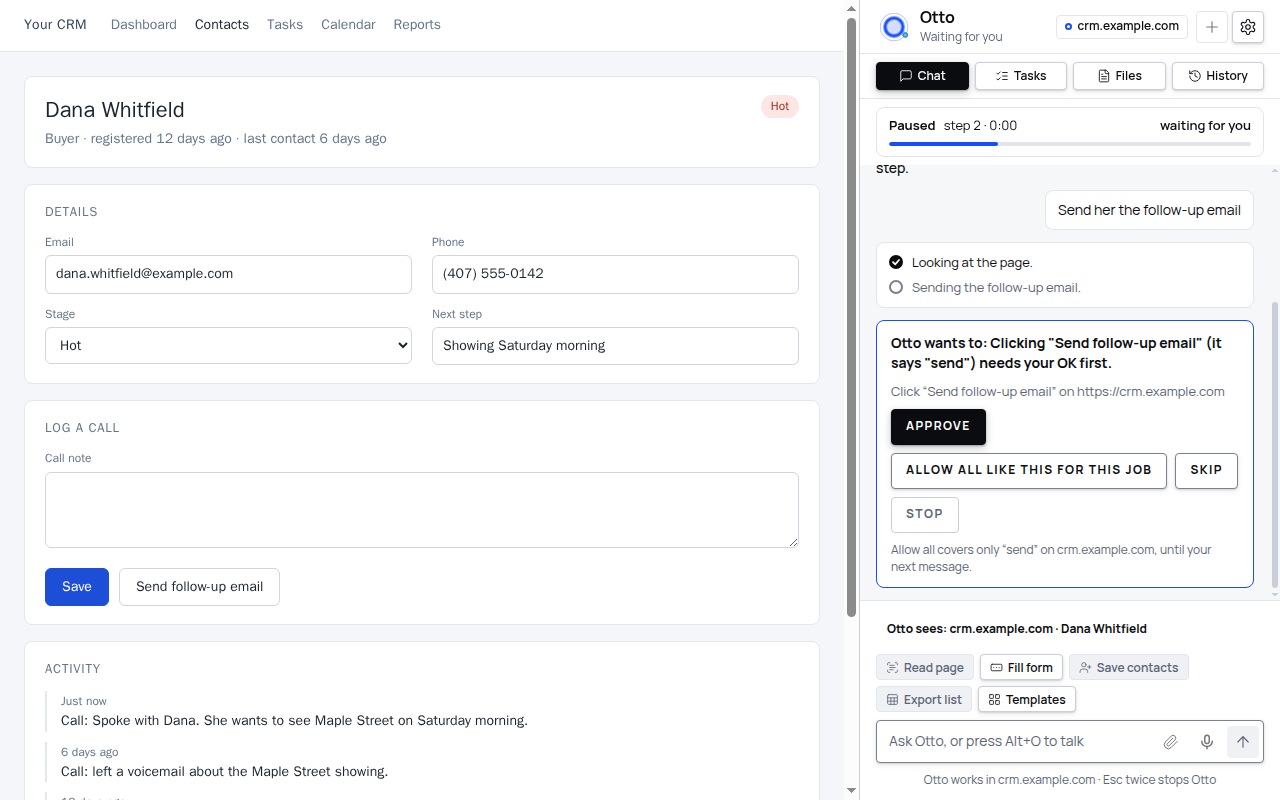
He asks first
Before anything that sends, pays, signs, publishes or deletes, a card shows the exact step and waits for your OK.
Some things stay yours
Otto never types passwords, one-time codes or card numbers. Say "don't change anything" and he only reads.
Nothing goes out until you say so.
- One tap to approve, skip or stop a step.
- Stop him at any time with the Stop button, or press Esc twice.
- He works in the tab you opened the panel on, and asks before working on another site.
Getting started
- Add OttoDesk from the Chrome Web Store and pin it to the toolbar.
- Open the side panel with the toolbar button or Alt+Shift+O.
- Connect your Trezly account, or create one from the panel.
- Open the page you want help with and type your request.
Good to know
To do a task, OttoDesk sends what is on the pages Otto works on to Trezly, so Otto can read them and plan the steps. OttoDesk is an assistant: you remain responsible for what is sent or submitted from your accounts.